Invoice Generator vs. Invoicing Software: Which One Do You Actually Need?
You've decided to stop making invoices in Word or Excel. Good call. But the moment you start looking for alternatives, you run into a problem nobody warned you about: there are hundreds of options, and they all sound exactly the same.
Invoice generators. Invoicing software. Billing platforms. Accounting tools with invoicing built in. Free tools, freemium tools, tools that cost $9 a month, tools that cost $50 a month.
This guide is different. We're going to break down the two main categories — invoice generators and invoicing software — and help you figure out which one matches where you are right now. Not where some software company hopes you'll be in three years. Where you are today.
What Is an Invoice Generator?
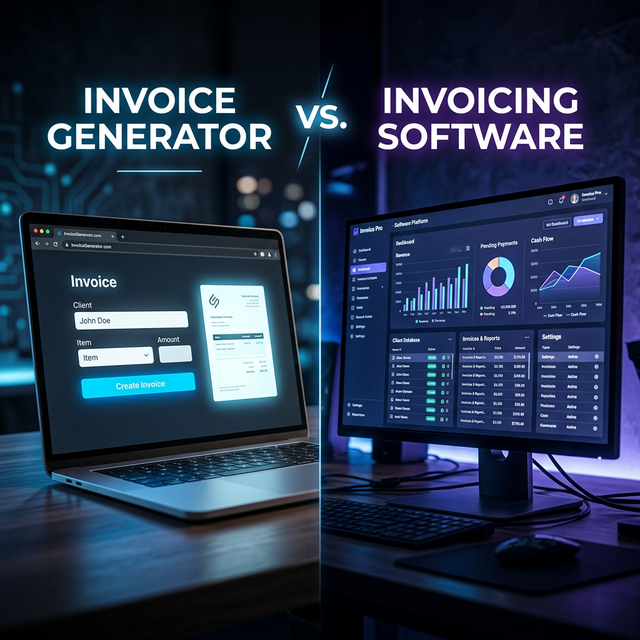
An invoice generator is a lightweight, browser-based tool that does one thing well: it lets you create a professional invoice and download it as a PDF.
You open the tool. You pick a template. You type in your details, your client's details, your line items, tax, and payment terms. You click download. You get a clean PDF ready to email.
No account creation. No monthly subscription. No learning curve. No feature bloat.
**Typically included:** Professional templates with logo and branding. Automatic calculation of totals, tax, and discounts. Multiple currency support. GST/VAT configuration. Instant PDF download.
**Typically NOT included:** Payment tracking (paid vs. unpaid). Recurring invoices. Online payment processing. Client databases. Expense tracking. Financial reporting.
What Is Invoicing Software?
Invoicing software is a more comprehensive platform that handles invoicing as part of a broader billing and financial management system. You create an account, set up your business profile, add clients, and use the platform to create, send, track, and manage invoices over time.
The key difference is **persistence**. An invoice generator creates a document. Invoicing software creates a document and then tracks everything that happens after — was it opened, was it paid, is it overdue?
**Typically included:** Everything a generator does, plus: client management with payment history, payment status dashboards (draft/sent/viewed/paid/overdue), recurring invoices, online payment processing (Stripe, PayPal), automated reminders, expense tracking, financial reports, accounting integrations.
**Typical cost:** Free tiers exist but are limited. Paid plans typically $10–$50/month. Transaction fees of 2.5–3.5% apply if using built-in payment processing.
Speed of Use: Invoice Generator Wins
**Invoice generator: 2 minutes from zero to finished PDF.** No account to create, no profile to configure, no onboarding wizard. Open the page, fill in the fields, download. This is the fastest possible path from 'I need to send an invoice' to 'the invoice is sent.'
**Invoicing software: 15–30 minutes initial setup, then 3–5 minutes per invoice.** The first time, you need to create an account, verify email, configure your business profile and tax settings, possibly connect a payment processor. After setup, subsequent invoices are faster — but there's always more friction because you're working within a system.
**Verdict: Invoice generator.** If you need an invoice right now, nothing beats a zero-signup tool.
Cost: Invoice Generator Wins
**Invoice generator: Free.** Most generators, including OWN. Invoice, have no paywall, no invoice caps, and no premium tier to upsell you into. Create as many invoices as you want, forever, for zero cost.
**Invoicing software: Free to $50+/month.** Free tiers come with restrictions — limited clients, watermarked invoices, missing features. Serious use requires a paid plan. Even a modest $15/month plan costs $180/year. At $30/month, you're spending $360 annually on a tool that creates a document you could create for free.
**Verdict: Invoice generator.** Hard to beat free, especially when the output quality is identical.
Invoice Quality: It's a Tie
**Invoice generator:** Quality depends entirely on which generator you use. Some produce basic, bland invoices from 2012. Others — like OWN. Invoice — produce designer-quality PDFs with premium templates, logo integration, and polished typography that rivals anything from paid software.
**Invoicing software:** Paid platforms invest heavily in design, and most produce clean, professional invoices with consistent branding.
**Verdict: Tie.** The quality of the final PDF depends on the specific tool, not the category. A premium invoice generator matches or exceeds the output of invoicing software.
Payment Tracking: Invoicing Software Wins
**Invoice generator:** When you download the PDF, that's the end of the tool's involvement. You track payment status yourself — in a spreadsheet, your head, or a separate accounting system.
**Invoicing software:** Real-time status updates — sent, viewed, paid — without asking the client. Payment reminders can be automated. Overdue invoices get flagged. If you're sending 20+ invoices a month, this tracking saves real time and prevents invoices falling through the cracks.
**Verdict: Invoicing software.** If payment tracking and automation matter to your workflow, software has a clear advantage.
Data Privacy: Invoice Generator Wins
This is a dimension most comparisons ignore — and it shouldn't be.
**Invoice generator (browser-based):** Tools like OWN. Invoice process everything locally. Your business details, client information, pricing — none of it is uploaded to a server. The invoice is generated client-side and downloaded directly to your device. No account, no database, no cloud storage of your financial data.
**Invoicing software:** By definition, invoicing software stores your information — business profile, client list, invoice history, payment records — on their servers. Subject to their security policies, data retention rules, and terms of service.
**Verdict: Invoice generator.** If data privacy is a priority — especially for professionals handling sensitive client information — a browser-based generator that never touches a server has a fundamental architectural advantage.
Scalability: Invoicing Software Wins at High Volume
**Invoice generator:** Works the same whether you send 2 or 20 invoices a month. But at higher volumes, the lack of automation creates friction. No saved clients means re-entering details each time. No payment tracking means a separate system to manage outstanding invoices.
**Invoicing software:** Saved clients, recurring invoices, automated reminders, payment dashboards — all become more valuable as volume increases. Sending 50+ invoices a month? The automation justifies the cost.
**Verdict: Invoicing software — at scale.** For high-volume billing, automation features pay for themselves. For lower volumes (under 15–20 invoices/month), the overhead of software outweighs the benefits.
Which One Should You Choose?
**Choose an invoice generator if:** - You send fewer than 15–20 invoices per month - You're a freelancer, solopreneur, or small team billing project-by-project - You value speed and simplicity over feature depth - You don't need recurring invoices or automated reminders - Data privacy matters to you - You're getting started and want to look professional without spending money
**Choose invoicing software if:** - You send 30+ invoices per month consistently - You have retainer clients who need recurring invoices on a fixed schedule - You want automated payment reminders - You need integrated online payment processing (Stripe, PayPal) - You want detailed financial reporting - You have a team that needs multi-user access
**The part most articles won't tell you:** You don't have to choose one forever. Start simple. Use a free, high-quality invoice generator now. When — and only when — your volume, complexity, or team demands it, evaluate whether software justifies the cost.
Advantages
- Invoice generators are free with zero limitations — ideal for most freelancers
- 2-minute invoice creation with no account or setup required
- Browser-based generators are more private — data never leaves your device
- Premium generators produce design-quality PDFs identical to paid software output
- Invoicing software's automation pays off at 30+ invoices per month
Considerations
- Invoice generators require manual payment tracking at higher volumes
- Invoicing software costs $10–$50/month with transaction fees on payments
- Software stores your financial data on third-party servers
- Generator setup must be repeated for each invoice without client databases
Common Questions
Q.Can I use an invoice generator for a real business?
Yes. An invoice generator creates the same output as invoicing software — a professional PDF with all standard fields (business details, client details, line items, tax, payment terms). The PDF is legally valid, universally compatible, and accepted by every accounting system.
Q.Will clients know I used a free tool?
No. With proper branding — your logo, colors, and a premium template — the invoice looks like it was produced by custom software or a professional designer. Clients see the output, not the tool.
Q.What if I need to start tracking payments later?
You can always add invoicing software down the road. Many freelancers start with a generator and switch to software when their volume hits 30–40 invoices per month. Your invoices remain PDFs regardless — nothing changes for your clients.
Q.Is a free invoice generator really free, or are there hidden costs?
With OWN. Invoice, it's genuinely free. No trial period, no credit card required, no feature gates, no 'free for 5 invoices then pay' model. The tool is free to use with no conditions.
Q.Do invoice generators support international billing?
Yes. Most support multiple currencies. OWN. Invoice supports GST, VAT, and custom tax labels, making it suitable for billing clients anywhere in the world — including CGST/SGST/IGST logic for Indian businesses.
Key Takeaways
Most freelancers and small businesses don't need a billing platform. They need to send a professional invoice and get paid. Start simple, use a free high-quality generator, and only upgrade when volume genuinely demands it.
Closing Thoughts
If you're ready to send a professional invoice right now — not after a 15-minute onboarding flow — open OWN. Invoice Generator and try it. Two minutes. One PDF. Zero friction.